
From the whole company down to one process, and back up to a plan.
See where your company loses time and money, prove which changes are worth it, and turn them into a roadmap your team can deliver.
The figures are estimates built from your own inputs: volumes, people and costs. They are as good as the numbers you put in, and good enough to decide what to fix first.
See every process in the company, including the ones nobody has mapped yet.
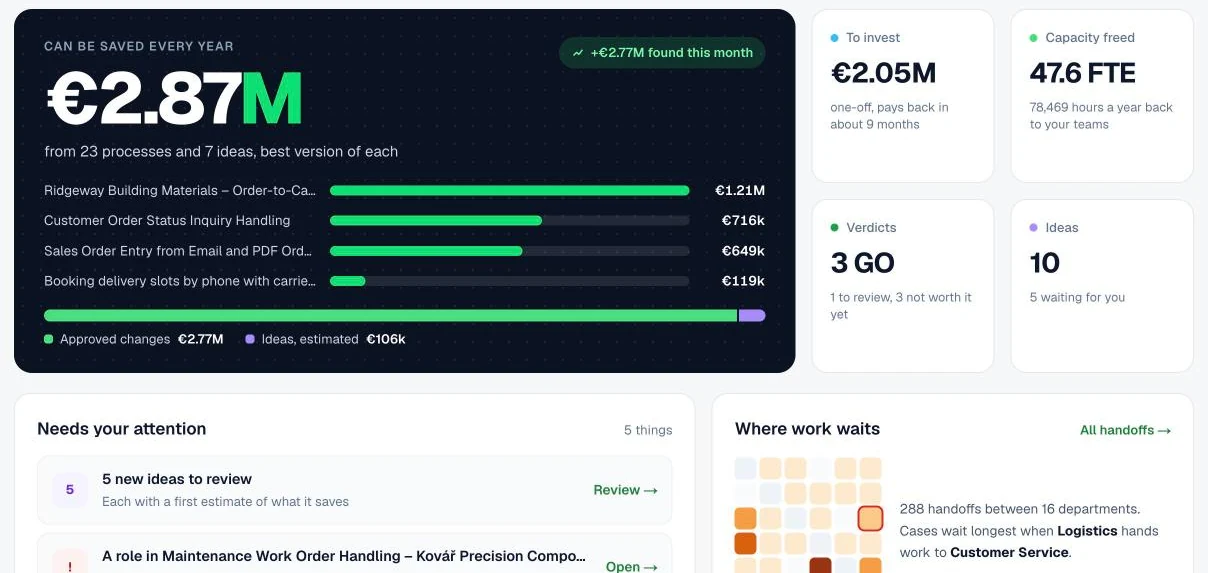
Your company on one page
The Overview adds up every process: what can be saved every year, what needs your attention, where work waits and which opportunities pay back best. It updates as you map and simulate.
The company map
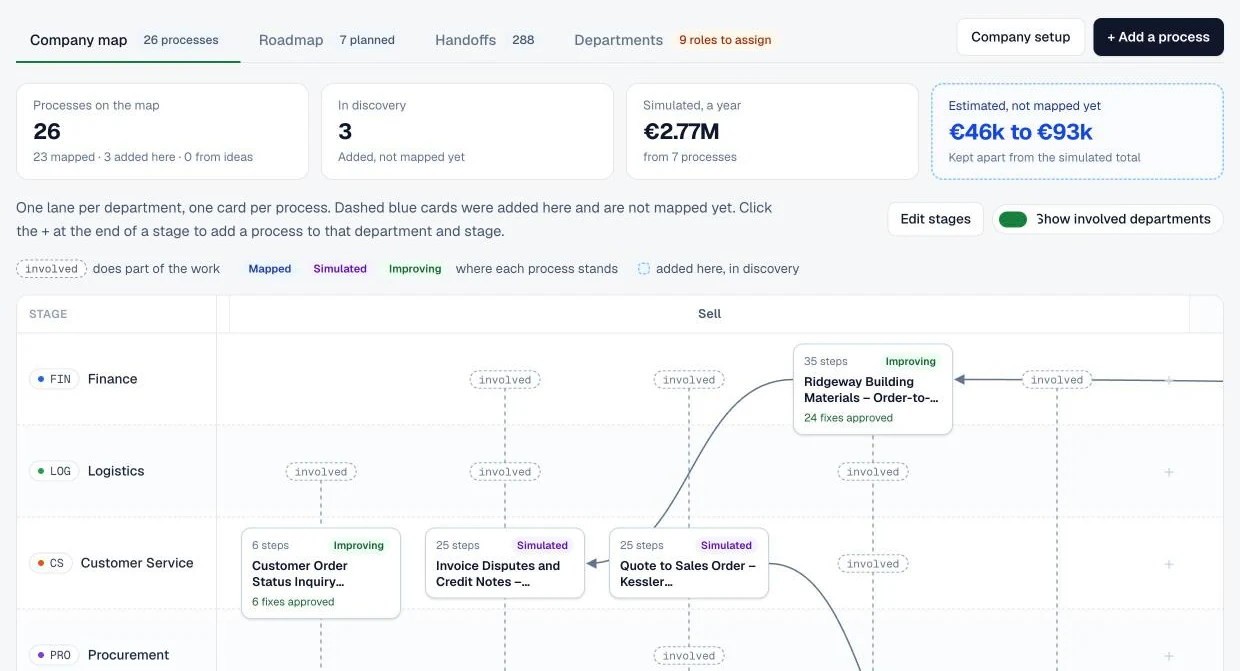
Every process placed by department and stage, mapped or not. Processes you have only named show up as dashed cards with an estimate, so the gaps are visible from day one.
Add a process without a document
Name it, set out who is responsible, accountable, consulted and informed (RACI), and say how much it hurts today. Cases, minutes and cost give a first estimate of what it could save, before anyone maps it.
Ideas from the people who do the work
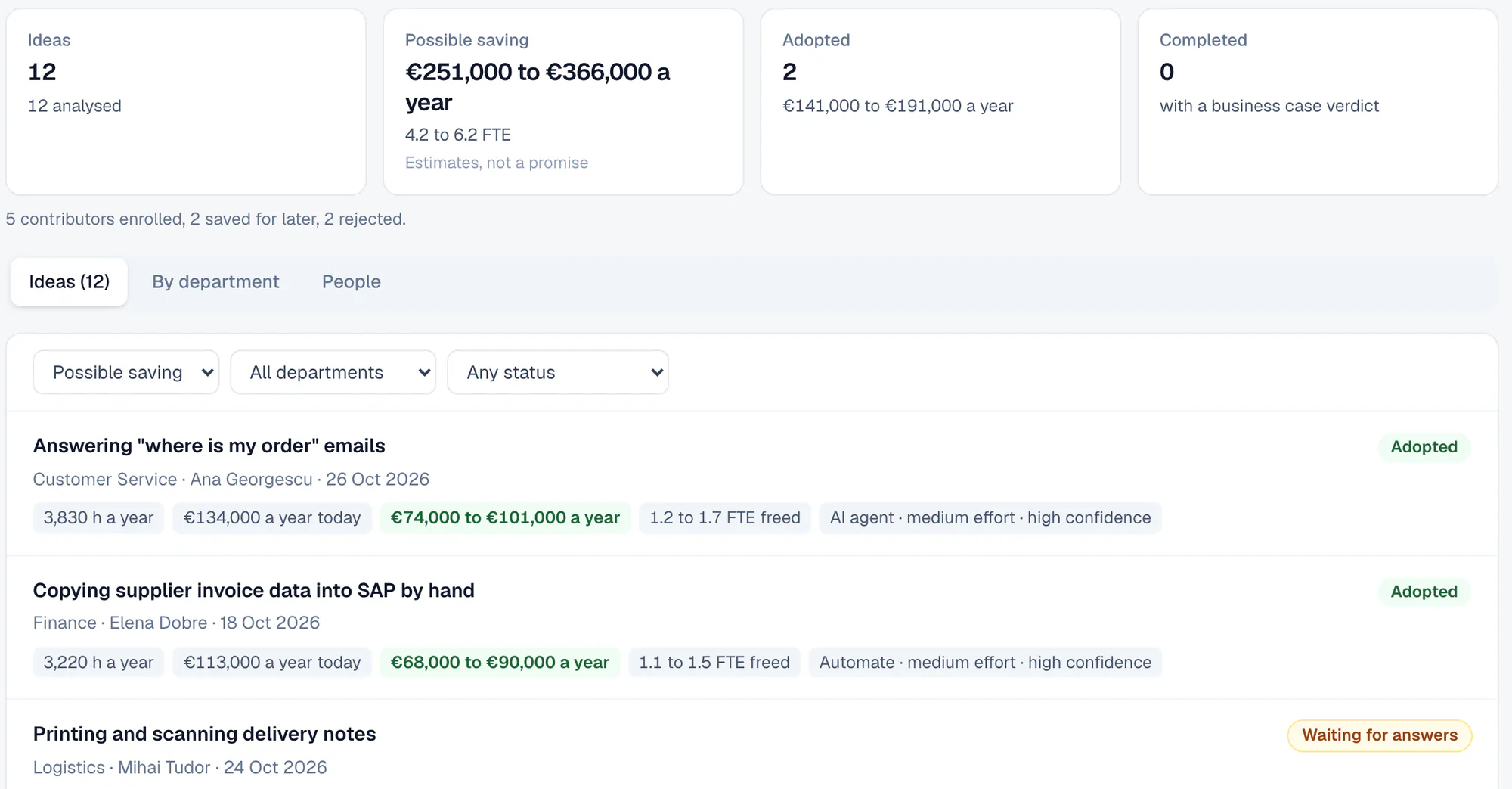
Colleagues send improvement ideas through your company link with their work email; they don't take a seat. Each idea gets a rough business case: hours a year, cost today, a saving range and the kind of fix. Managers see ideas by department, turn the good ones into a process and decline the rest with a reason. A good idea goes straight onto the company map.
Turn documents into maps and find where work waits, between steps and between departments.
From document to map
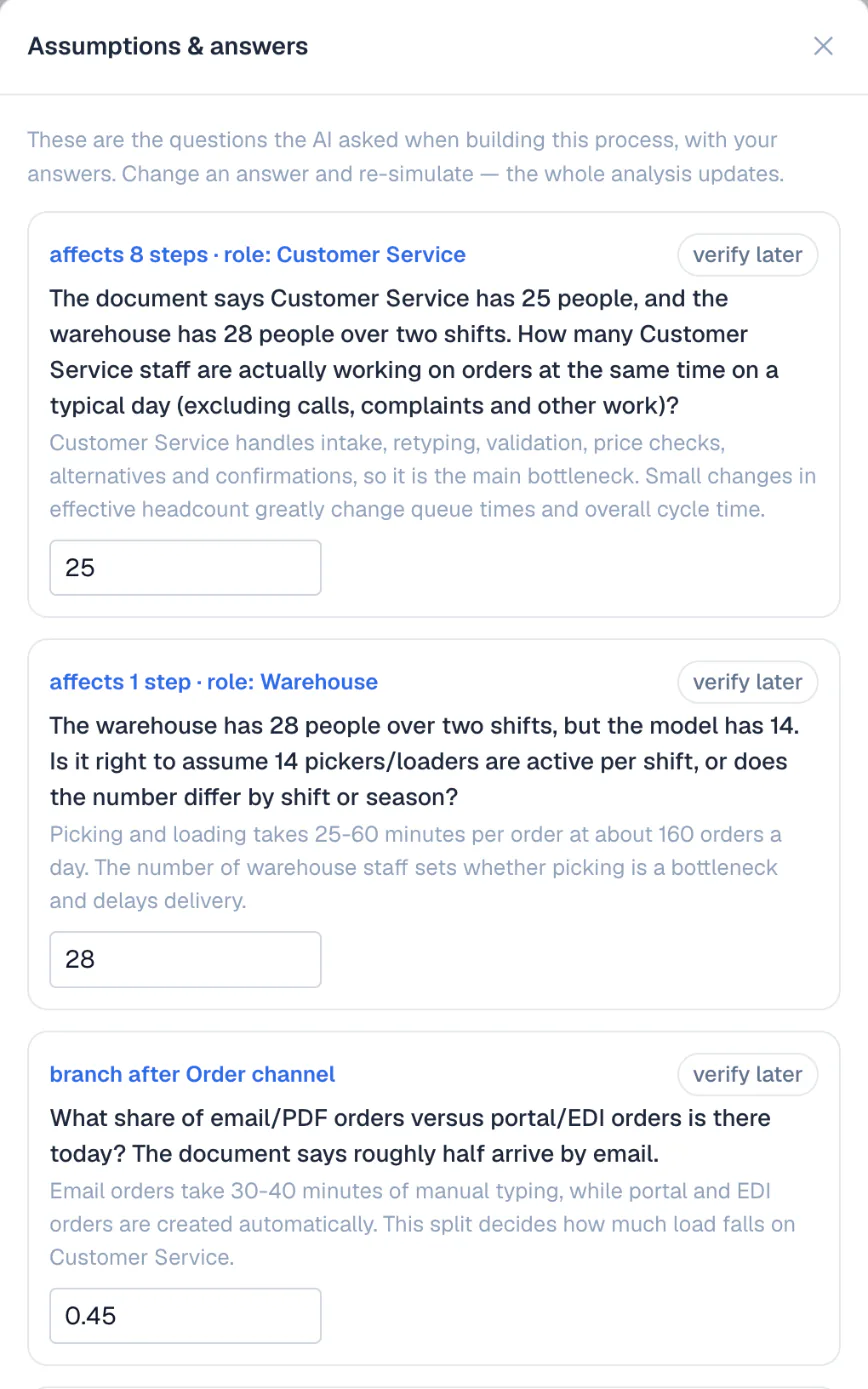
Upload an SOP or PDD, describe the process in your own words, or build it by hand. Processfix extracts roles, steps, decisions and rework loops, then asks about what the document leaves open, like how many people really work the queue.
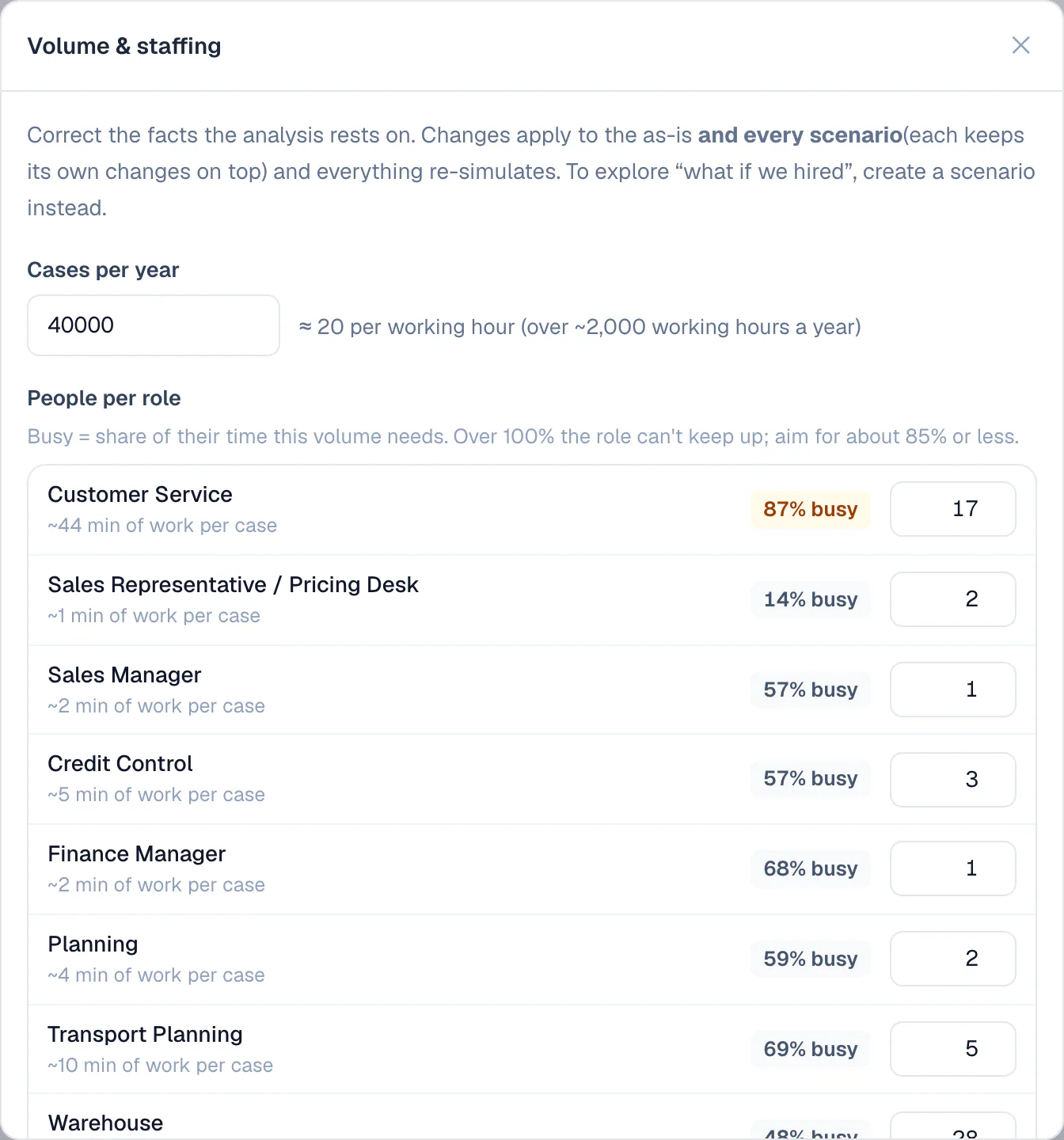
Volume and staffing, once
Enter yearly volume and people per role. Processfix shows how busy each role is and warns you when a version cannot keep up with demand.
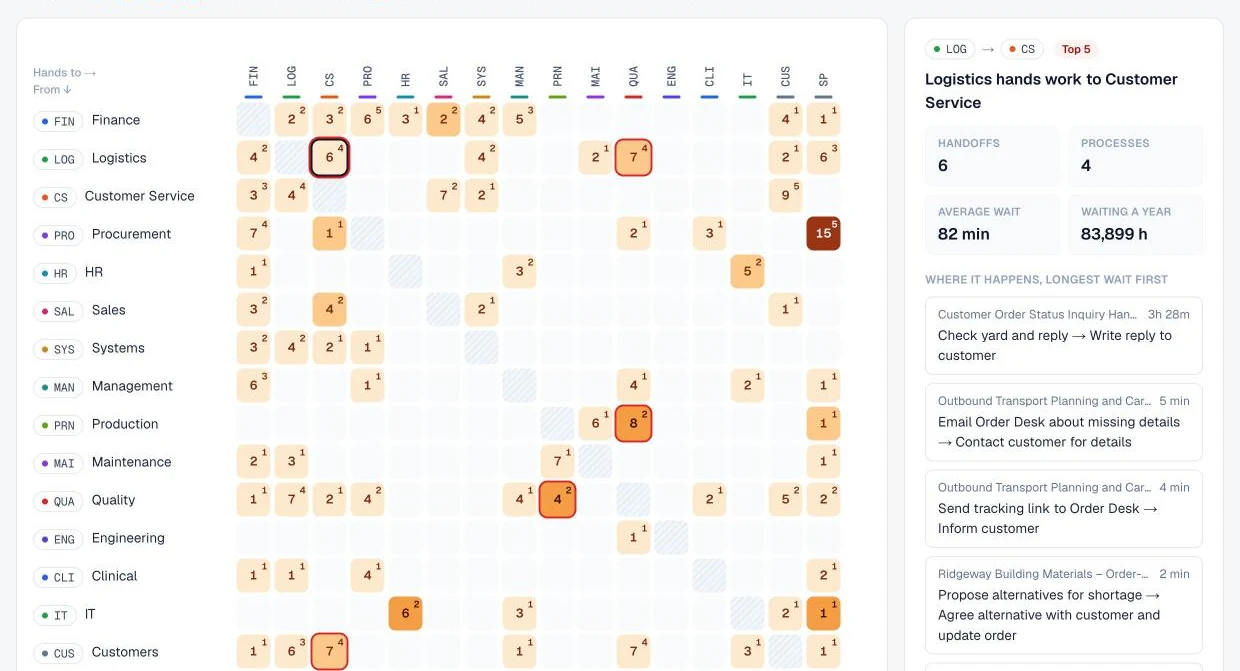
Where work waits between departments
A grid of who hands work to whom, coloured by how long it waits. Pick a cell to see the exact handoff in the process. Most delays live between teams, not inside them.
The map, and the stages behind it
An editable swimlane map plus a stage view that shows where most of the waiting happens. Every change a version makes is marked on the map.

Run your real volumes through today's process and through every improved version.
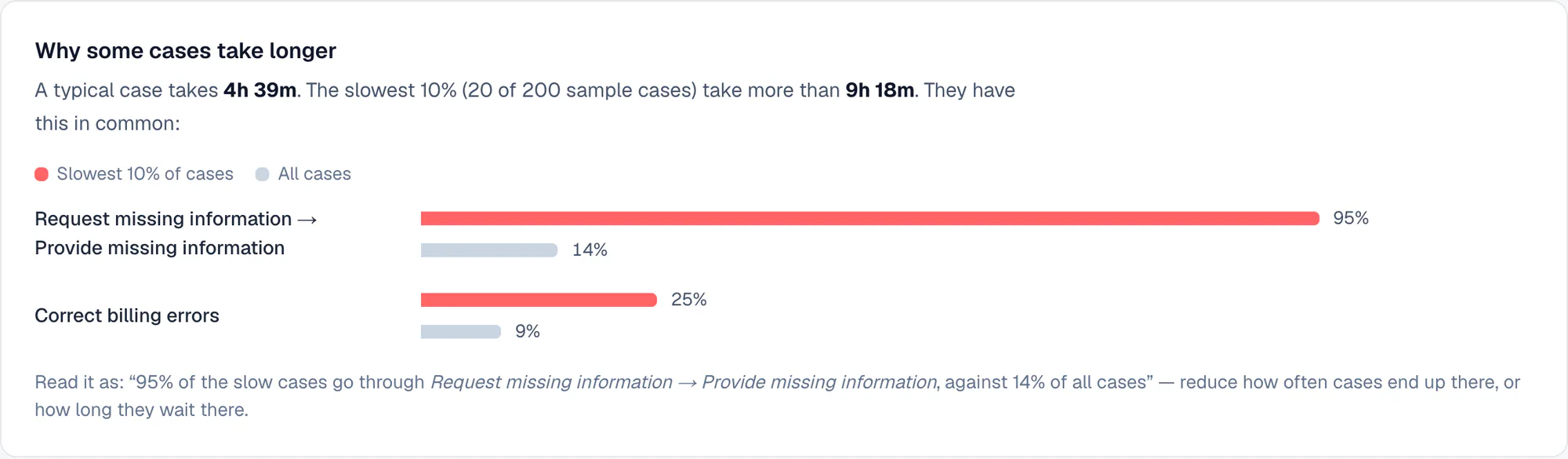
Simulation that explains the slow cases
Hundreds of simulated cases with real variability: typical and worst-case times, throughput, and why the slowest cases are slow. You fix the cause, not the average.
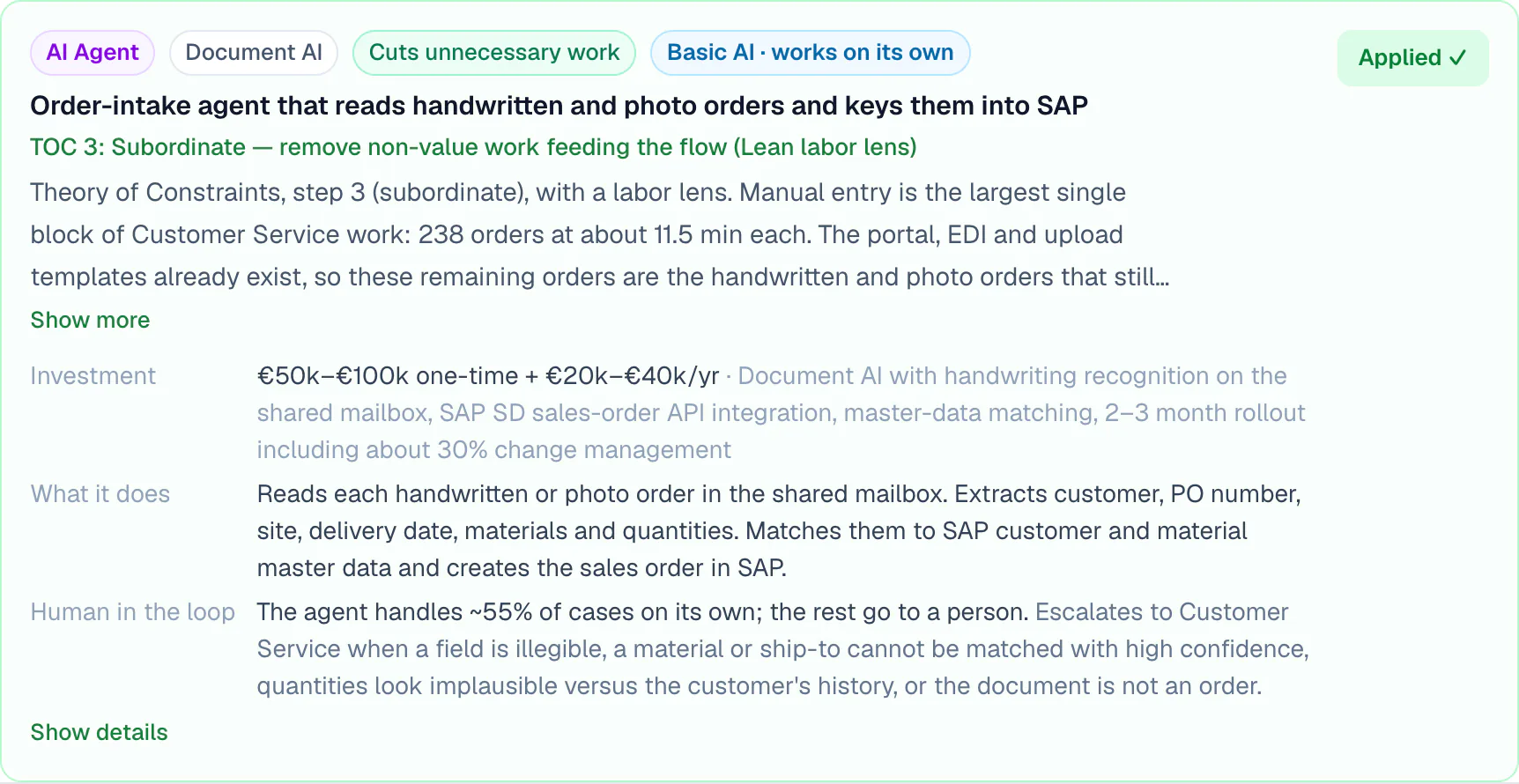
Recommendations you can defend
Each recommendation comes with the method behind it and an investment range. For AI agents you also get what the agent does, which systems it uses, and whether it helps a person or handles routine documents and data on its own. You approve or reject each one.
Put a price on it: what the process costs today, what each change saves and when it pays back.
What it costs today, what it saves tomorrow
What you pay once, what it costs to run, what you save every year and when you are back in the black, with a conservative and an optimistic case and a verdict. These are estimates built from your own volumes, people and costs. Good enough to decide what to fix first, and they sharpen as your numbers do.
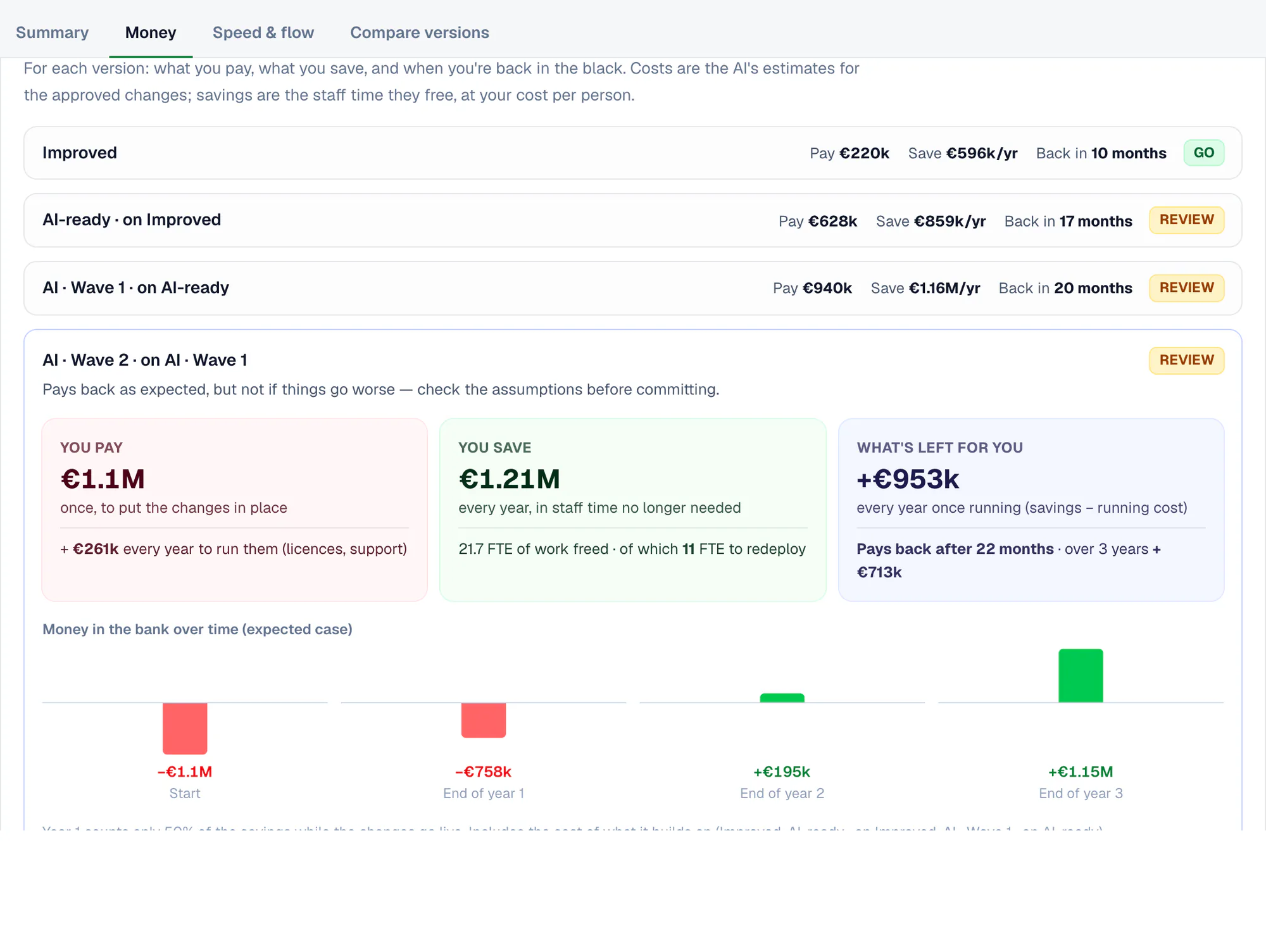
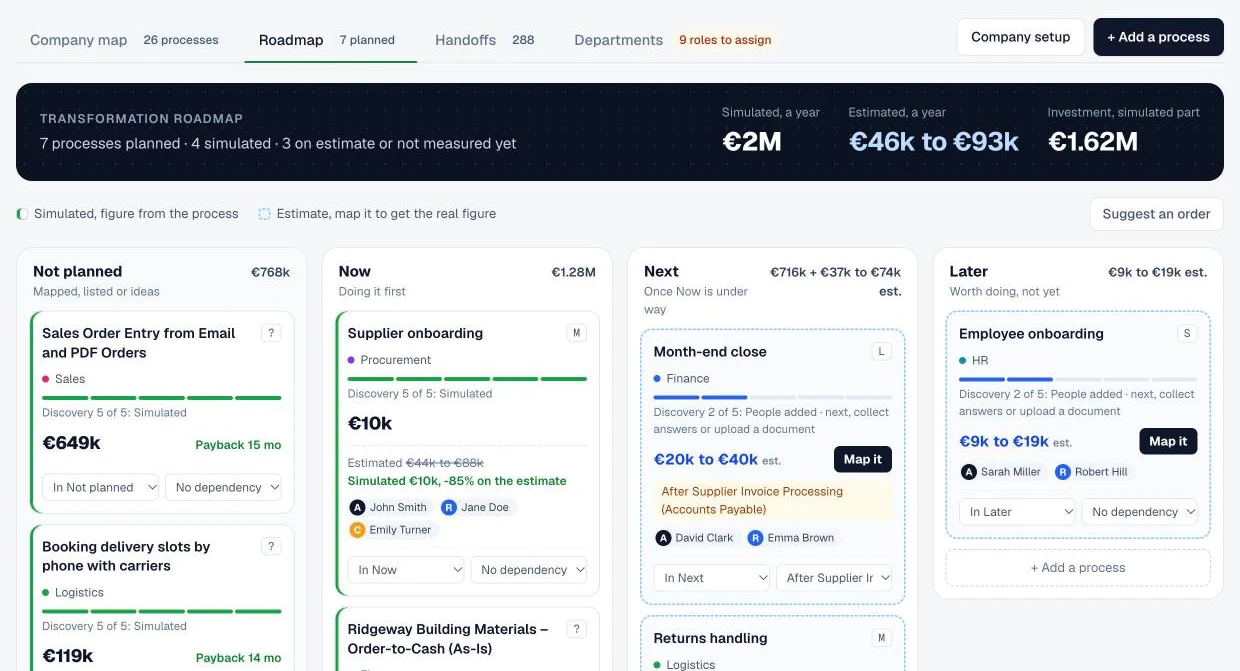
Decide what to do now, next and later, and hand the team a process document to build from.
A roadmap for the whole company
Put every process in Now, Next or Later. Each column is ordered by value for the effort, with what others depend on first. Mapping a planned process links it straight to its card.
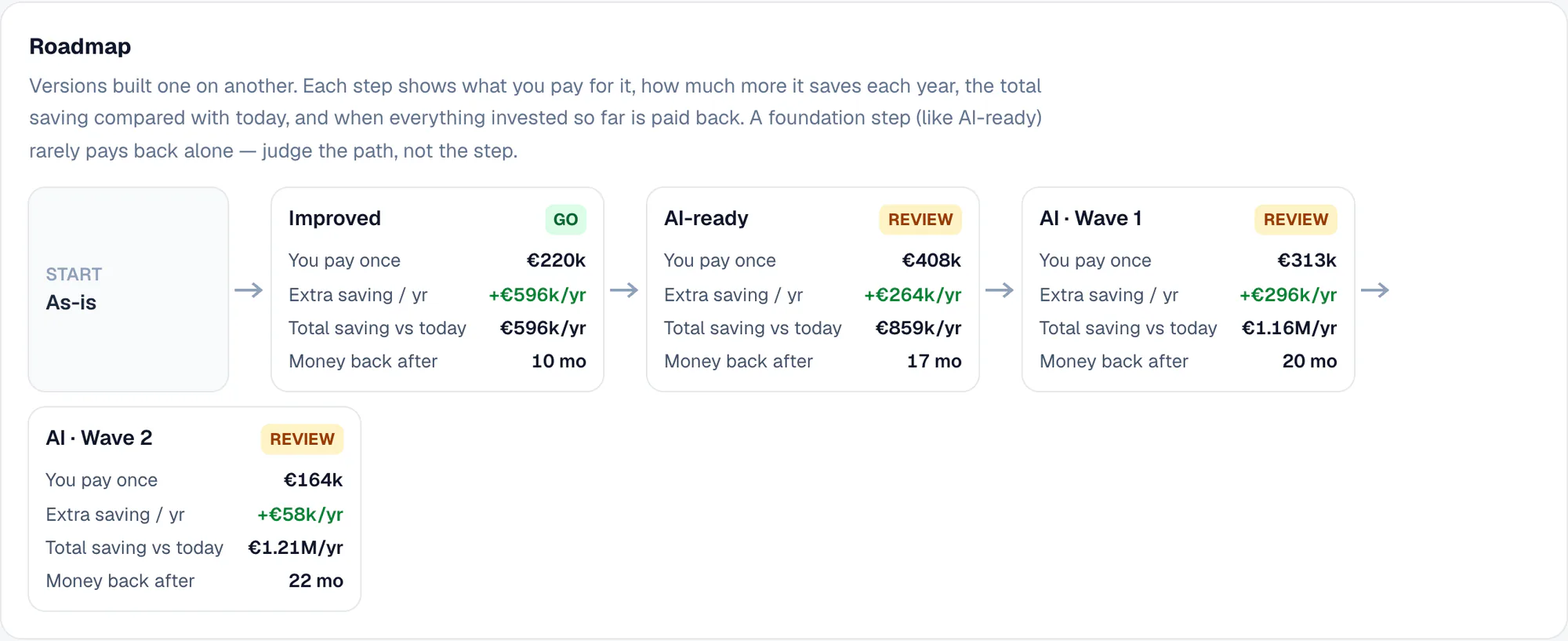
Versions that build on each other
Versions build on each other, so the roadmap shows what each step adds: fix the process, make it AI-ready, then add AI in waves.
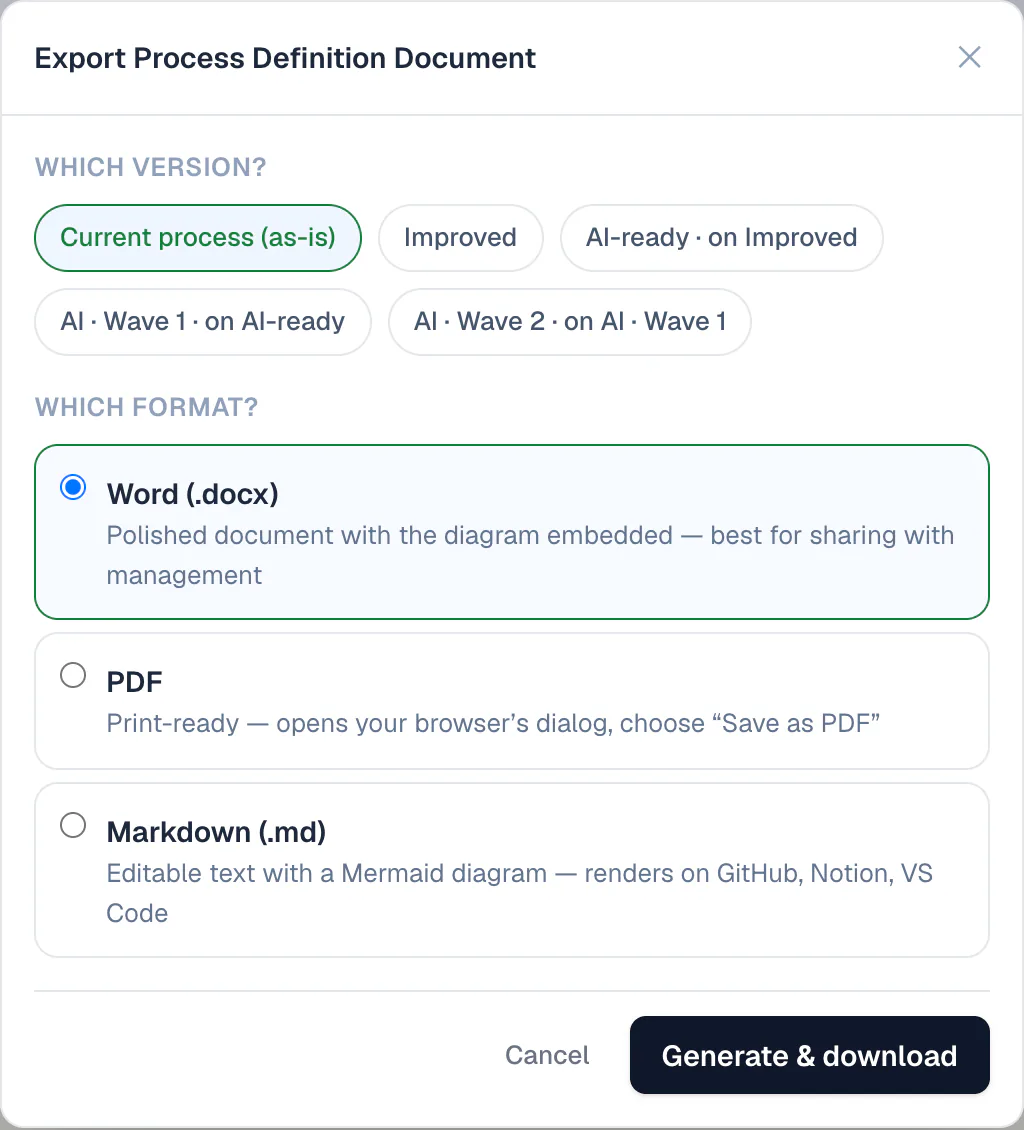
Summary and process document
A one-screen summary with where the effort has to go and the next step. Export the process document in Word, PDF or Markdown for the team that implements it.
Built for consultants and agencies
Run every client in its own workspace from one account, with one token pool and a monthly cap per client. Your team sees every client; the client's people only send ideas.
Built for working sessions
Invite colleagues to your workspace. One person edits at a time while everyone else follows along, which is how most process work happens in a workshop call.
Unlimited processes on every plan. You pay for users and for the AI work, in tokens.
See plans and pricing